
HaproniQ IPTV Installation Guide
Setting up HaproniQ IPTV is fast, simple and takes less than one minute. Follow our step by step installation guide to start streaming 25,000+ live TV channels and 100,000+ movies and series in HD and 4K instantly. As a trusted IPTV service provider, HaproniQ delivers the best IPTV service on all major devices including Smart TVs, Android, iOS, Amazon Firestick, MAG boxes and Enigma2. Whether you are new to IPTV or switching from another IPTV provider, our setup process is designed to get you streaming with zero hassle. Follow our IPTV Setup Guide or watch our Video Tutorial for a smooth and easy installation.
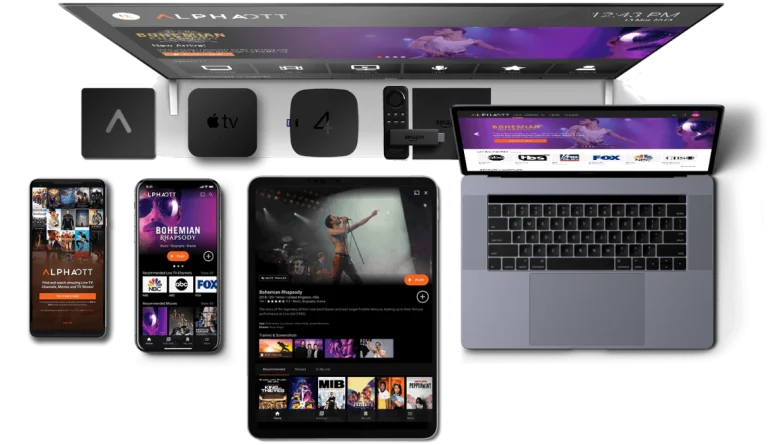
Support All Devices







HaproniQ IPTV Installation for All Devices
This HaproniQ IPTV installation guide walks you through setting up the best IPTV service on Smart TVs, Firestick, Android, iOS, Windows and Mac. As a trusted IPTV service provider, HaproniQ makes it easy to get started on any device. Whether you are using IPTV Smarters Pro, TiviMate, XCIPTV, HOT IPTV or IBO Player Pro, follow the exact steps below and use your login details to start streaming live channels and on demand content in minutes.
For Smart TVs (Samsung, LG, Android TV)
- Install IPTV Smarters Pro, TiviMate or SmartOne IPTV from your App Store
- Open the app and select Login with Xtream Codes API
- Enter the login credentials sent to your email after purchase
- Done — start streaming the best IPTV service instantly
For Windows & Mac
- Download IPTV Smarters Pro or VLC Media Player on your computer
- Open the app and enter your Xtream Codes or Playlist URL provided by HaproniQ
- Done — enjoy your IPTV service on your desktop anytime
For Android & iOS Devices
- Install IPTV Smarters Pro or XCIPTV Player from the App Store or Google Play
- Open the app and log in using the credentials sent to your email by your IPTV provider
- Done — stream anywhere from your phone or tablet
For Firestick & Fire TV
- Install the Downloader app from the Amazon App Store
- Use Downloader to install IPTV Smarters Pro or TiviMate
- Open the app and enter your HaproniQ IPTV service login details
- Done — sit back and enjoy buffer free streaming on your TV
FAQ HaproniQ IPTV
HaproniQ IPTV is a premium IPTV service provider that gives you instant access to over 25,000 live TV channels, movies, series and shows on any device. Whether you are at home or traveling, enjoy buffer-free streaming and crystal clear quality from anywhere in the world.
Subscribing is simple — visit our website, choose the plan that fits your needs and complete your secure checkout. We accept PayPal, Visa, Mastercard and cryptocurrency. Your subscription is activated instantly after payment.
A minimum internet speed of 4 Mbps is enough for smooth standard streaming. For HD and 4K content we recommend at least 10 Mbps to guarantee the best possible viewing experience without any interruptions.
HaproniQ works on Smart TVs, Android and iOS devices, Amazon Firestick, MAG boxes, Windows and Mac computers, and all major IPTV apps including IPTV Smarters Pro and VLC Media Player. One subscription, all your devices.
Absolutely. HaproniQ offers a wide selection of live sports channels covering football, basketball, tennis, UFC, Formula 1 and all major sporting events from around the world — streamed live with zero buffering.
Yes. HaproniQ includes a massive VOD library packed with the latest movies, popular TV series, anime and shows. Watch what you want, when you want — no schedules, no waiting.
After subscribing you will receive your login credentials and a full setup guide directly to your email within seconds. Simply follow the step by step instructions and you will be streaming in less than one minute.
Our 24/7 customer support team is always ready to help. Whether it is a setup question or a technical issue, you can reach us anytime via live chat or email and we will get you back to streaming as fast as possible.
 Digital Keys